
Changelog
All the latest updates, improvements, and fixes to Vendo.
Vendo CLI
A command-line interface to manage your data pipelines from the terminal. Monitor jobs, trigger syncs, and manage your entire Vendo account without leaving your workflow.
Install
npm install -g vendo-cli
vendo login
Terminal-First Workflow
Manage apps, sources, integrations, and jobs directly from the command line:
vendo status                    # Account health overview
vendo sources list              # List all data sources
vendo jobs watch                # Live job monitoring
vendo int sync <integrationId>  # Trigger a sync
Browser-Based Authentication
Run vendo login to authenticate via your browser. The CLI creates an API key scoped to your account and stores it locally — no passwords in the terminal.
JSON Output for Scripting
Add --json to any command for machine-readable output, making it easy to integrate with scripts, CI/CD pipelines, and custom tooling.
Live Job Monitoring
vendo jobs watch provides a real-time polling dashboard for running and pending jobs, with configurable refresh intervals and source/integration filters.
Full Command Reference
- Apps: list, get, pause, resume, delete
- Sources: list, get, sync, pause, resume, delete
- Integrations: list, get, sync, pause, resume, delete
- Jobs: list, get, cancel, watch
- Catalog: list, get
- Models: list, get
See the CLI documentation for the full reference.
Shopify App v2
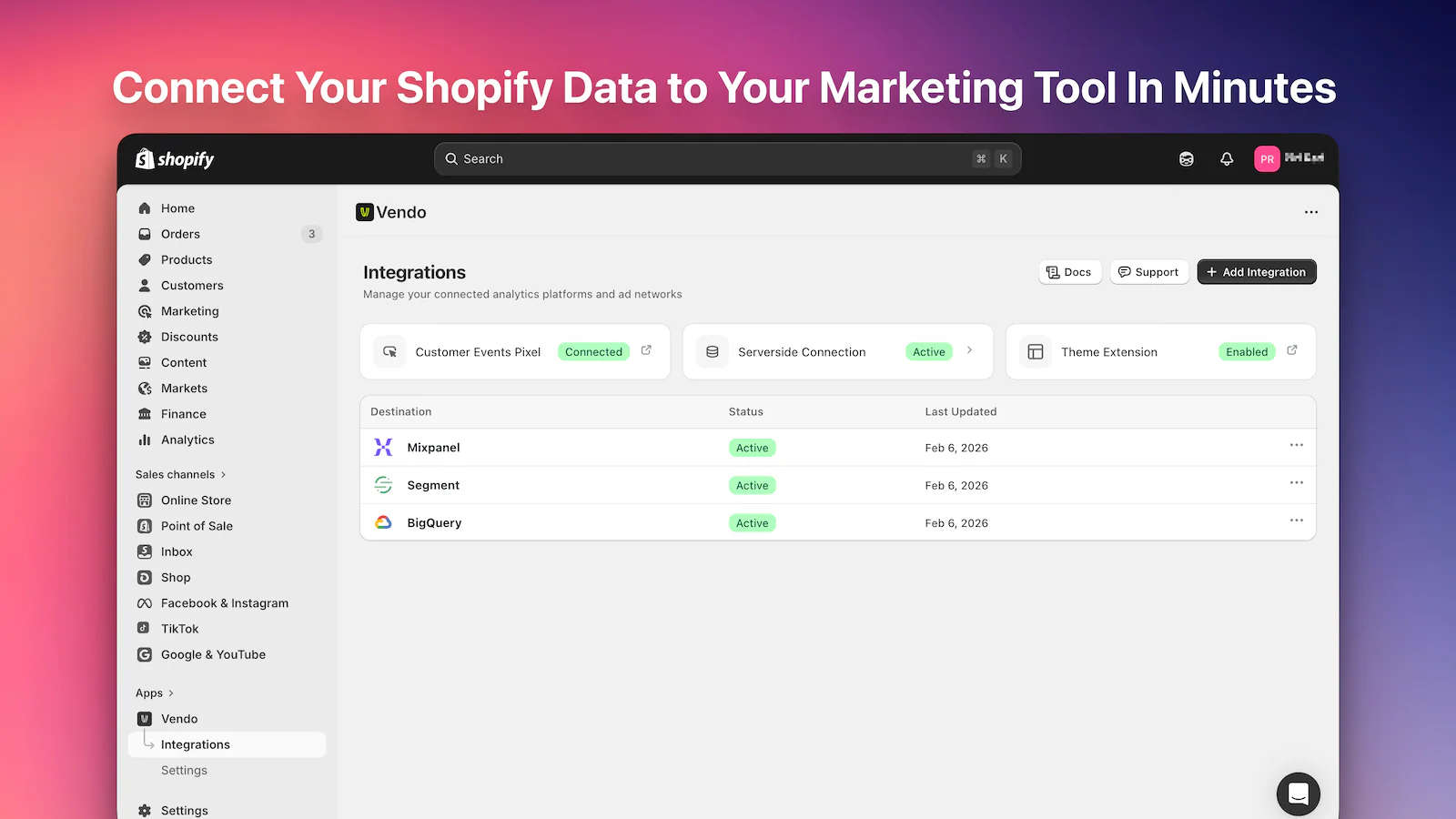
A major update to the Vendo Shopify app with advanced Mixpanel tracking, new destinations (Segment, BigQuery, Customer.io, OneSignal), and a redesigned dashboard.
Advanced Mixpanel Tracking
Configure everything from a single Tracking tab:
- Session Replay — Record customer sessions via the Vendo theme extension
- Heatmaps — See clicks, scroll depth, and engagement patterns
- Autotrack — Capture button clicks and form submissions with no code changes
New Analytics Destinations
- Segment — Full server-side events with credential validation
- BigQuery — User properties sync and simplified dataset setup
New Messaging Integrations
Launch lifecycle messaging in one click:
- Customer.io — Events, historical backfill, web push & notifications
- OneSignal — Events, historical backfill, web push & notifications
Server-Side Event Streaming
More reliable tracking with direct server-side delivery. Order lifecycle events (fulfillment, delivery, refunds) sync from Shopify's backend APIs every 10–15 minutes.
Historical Data Sync Controls
- Presets: 30 / 90 days, 6 months, 1 year, 2 years
- Resync any date range to any destination
Integration Management
- Pause, resume, or delete with confirmation
- Real-time status badges: Active · Paused · Error
Updated Notifications Center
Use a dedicated email to receive alerts (instead of the default store email).
Faster & Guided Onboarding
- Step-by-step setup wizards with credential validation
- Full support for development stores (events tagged with
[Test])
Dashboard & UX Improvements
- Homepage connection status for Customer Events Pixel, server-side connection, and theme extension
- Unified theme extension — single "Vendo" app embed block replaces multiple destination blocks
- Per-destination event controls from the Events tab
- Skeleton loaders for faster perceived performance
- Bulk event selection, inline errors, consolidated settings
Reliability & Performance
- Faster loads with cached theme-extension status
- Centralized error logging for easier debugging
- Stronger form validation before saving